How to Deploy a PHP Application with Docker, Traefik, and Automatic HTTPS
A practical guide to deploying a PHP application with Docker, Traefik, automatic HTTPS with Let's Encrypt, and a production-ready networking structure.
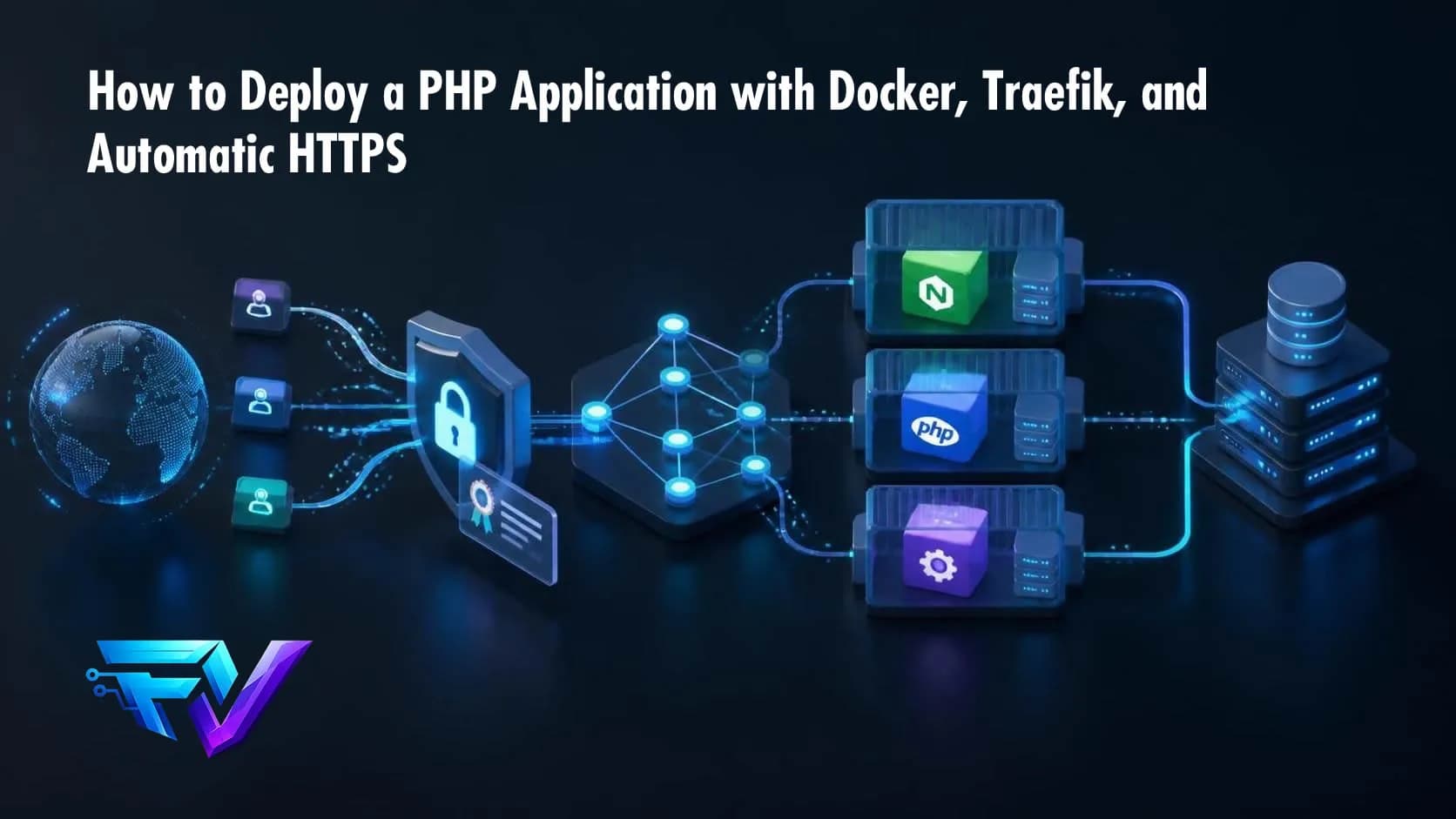
Deploying a PHP application to production does not have to mean opening multiple ports on the server, manually configuring certificates, and maintaining a different web server configuration for every project.
A stack built around Docker + Traefik + automatic HTTPS can simplify that process and provide a reusable architecture for multiple applications running on the same server.
In this article, we will build a practical deployment using:
- Docker Compose
- PHP-FPM
- Nginx
- Traefik
- Let’s Encrypt
- Automatic HTTPS
- Docker networks
- No direct public port for the application
The goal is not simply to make the application work. The goal is to build an infrastructure that remains manageable when the server is hosting two, five, or ten applications.
The architecture
The architecture looks like this:
                         Internet
                            │
                            │ HTTPS :443
                            │ HTTP  :80
                            ▼
                    ┌─────────────────┐
                    │     Traefik     │
                    │                 │
                    │ Reverse Proxy   │
                    │ TLS / Let's     │
                    │ Encrypt         │
                    └────────┬────────┘
                             │
                    Docker network: proxy
                             │
                             ▼
                    ┌─────────────────┐
                    │      Nginx      │
                    │                 │
                    │   HTTP :80      │
                    └────────┬────────┘
                             │
                             ▼
                    ┌─────────────────┐
                    │    PHP-FPM      │
                    │                 │
                    │    PHP 8.x      │
                    └─────────────────┘
The most important point in this architecture is that the PHP application does not need to publish a host port.
We do not need something like:
ports:
  - "8080:80"
The Nginx container can remain accessible only inside the Docker network.
Traefik can discover the container through Docker networking and forward requests to it.
Why put Traefik in front?
Without a reverse proxy, every application may end up using a different host port:
Server
├── :8080 → application A
├── :8081 → application B
├── :8082 → application C
└── :8083 → application D
With Traefik, we can use domains instead:
app1.example.com
app2.example.com
app3.example.com
All requests arrive through the standard ports:
80
443
Traefik decides which container should receive each request.
It also provides a centralized place for:
- HTTPS
- HTTP → HTTPS redirects
- host-based routing
- certificates
- access logs
- middleware
- Docker service discovery
Traefik’s Docker provider can use container labels to dynamically configure routers and services. Its documentation also recommends explicitly controlling which containers are exposed instead of exposing every Docker container by default.
Creating the shared Docker network
When Traefik is used by multiple applications, I prefer to keep it as shared infrastructure.
Create an external Docker network:
docker network create proxyThen:
docker network lsThis network can be shared by Traefik and the applications that need to be exposed.
Docker Compose allows services to be attached to explicitly defined networks, which makes it possible to control which containers can communicate with each other.
Project structure
A simple PHP project may look like this:
my-project/
├── docker/
│   ├── nginx/
│   │   ├── Dockerfile
│   │   └── default.conf
│   └── php/
│       └── Dockerfile
├── public/
│   └── index.php
├── src/
├── composer.json
└── compose.yml
The application will have two containers:
nginx
php-fpm
Nginx handles HTTP traffic and forwards PHP requests to PHP-FPM.
PHP Dockerfile
A simple example:
FROM php:8.4-fpm-alpine

WORKDIR /var/www/html

RUN docker-php-ext-install pdo pdo_mysql

COPY --from=composer:2 /usr/bin/composer /usr/bin/composer

COPY composer.json composer.lock ./

RUN composer install \
    --no-dev \
    --no-interaction \
    --prefer-dist \
    --optimize-autoloader

COPY . .

RUN chown -R www-data:www-data /var/www/html

USER www-data

CMD ["php-fpm"]
A real application will need to adapt the PHP extensions to its own requirements.
For example, a Symfony application may need additional extensions depending on the database driver, cache, or libraries being used.
Secrets should also never be baked into the Docker image.
Nginx Dockerfile
For example:
FROM nginx:alpine

COPY default.conf /etc/nginx/conf.d/default.conf

WORKDIR /var/www/html

COPY public /var/www/html/public
Nginx has a single responsibility here: serve the application’s HTTP layer.
Nginx configuration
A basic configuration could be:
server {
    listen 80;

    server_name _;

    root /var/www/html/public;

    index index.php index.html;

    location / {
        try_files $uri /index.php?$query_string;
    }

    location ~ \.php$ {
        try_files $uri =404;

        fastcgi_pass php:9000;
        fastcgi_index index.php;

        include fastcgi_params;

        fastcgi_param SCRIPT_FILENAME $document_root$fastcgi_script_name;
        fastcgi_param DOCUMENT_ROOT $document_root;
    }

    location ~ /\. {
        deny all;
    }
}
Notice:
fastcgi_pass php:9000;does not use localhost.
The hostname php is the Docker Compose service name.
Inside the Docker network, Compose provides service discovery between containers.
Application Compose file
Now we can combine everything:
services:

  php:
    build:
      context: .
      dockerfile: docker/php/Dockerfile

    restart: unless-stopped

    networks:
      - internal

  nginx:
    build:
      context: .
      dockerfile: docker/nginx/Dockerfile

    restart: unless-stopped

    depends_on:
      - php

    networks:
      - internal
      - proxy

    labels:
      - "traefik.enable=true"

      - "traefik.docker.network=proxy"

      - "traefik.http.routers.phpapp.rule=Host(`app.example.com`)"

      - "traefik.http.routers.phpapp.entrypoints=websecure"

      - "traefik.http.routers.phpapp.tls=true"

      - "traefik.http.routers.phpapp.tls.certresolver=letsencrypt"

      - "traefik.http.services.phpapp.loadbalancer.server.port=80"

networks:

  internal:
    driver: bridge

  proxy:
    external: true
Notice that there is no:
ports:section.
This is intentional.
The application does not need:
8080:80or:
80:80on the host.
Traefik is the public entry point.
What are the labels doing?
First:
- "traefik.enable=true"tells Traefik that this container should be considered for exposure.
Then:
- "traefik.http.routers.phpapp.rule=Host(`app.example.com`)"defines when the router should match.
A request to:
https://app.example.comwill match this router.
Then:
- "traefik.http.routers.phpapp.entrypoints=websecure"selects the HTTPS entrypoint.
This:
- "traefik.http.routers.phpapp.tls=true"enables TLS.
And:
- "traefik.http.routers.phpapp.tls.certresolver=letsencrypt"tells Traefik which certificate resolver should be used.
Finally:
- "traefik.http.services.phpapp.loadbalancer.server.port=80"tells Traefik that the HTTP service inside the container listens on port 80.
Configuring Traefik
Traefik can run as a separate infrastructure stack.
A simplified example:
services:

  traefik:
    image: traefik:v3

    restart: unless-stopped

    command:

      - "--providers.docker=true"
      - "--providers.docker.exposedbydefault=false"
      - "--providers.docker.network=proxy"

      - "--entrypoints.web.address=:80"
      - "--entrypoints.websecure.address=:443"

      - "--entrypoints.web.http.redirections.entrypoint.to=websecure"
      - "--entrypoints.web.http.redirections.entrypoint.scheme=https"

      - "[email protected]"
      - "--certificatesresolvers.letsencrypt.acme.storage=/letsencrypt/acme.json"
      - "--certificatesresolvers.letsencrypt.acme.httpchallenge=true"
      - "--certificatesresolvers.letsencrypt.acme.httpchallenge.entrypoint=web"

    ports:
      - "80:80"
      - "443:443"

    volumes:
      - "/var/run/docker.sock:/var/run/docker.sock:ro"
      - "./letsencrypt:/letsencrypt"

    networks:
      - proxy

networks:

  proxy:
    external: true
Traefik uses Docker to discover the containers and can handle HTTP/HTTPS entrypoints, redirects, and ACME certificate management.
The acme.json file
The file:
letsencrypt/acme.jsonis used by Traefik to store ACME state and certificates.
Before starting Traefik:
mkdir -p letsencrypt

touch letsencrypt/acme.json

chmod 600 letsencrypt/acme.json
This file should not be treated as disposable.
If the Traefik container loses its ACME storage, certificate management may need to be performed again.
The directory should also be considered part of the infrastructure backup strategy.
DNS
Before testing HTTPS, your DNS record must point to the server.
For example:
app.example.com
       │
       ▼
    server
       │
       ▼
    Traefik
       │
       ▼
   application
For an HTTP-01 ACME challenge, the domain must be reachable from the public Internet through the appropriate HTTP entrypoint.
Check the DNS configuration with:
dig +short app.example.comor:
nslookup app.example.comThe returned address should point to the correct server.
Starting Traefik
Run:
docker compose up -dThen:
docker compose psAnd:
docker logs traefikStarting the application
Inside the PHP project:
docker compose up -d --buildThen:
docker compose psWe should see:
php
nginx
The Nginx container should be connected to:
internal
proxy
The PHP container should only be connected to:
internalThat separation matters.
PHP-FPM does not need to be directly reachable by Traefik.
Testing the routing
First test HTTP:
curl -I http://app.example.comBecause HTTP is redirected to HTTPS, we should see something similar to:
HTTP/1.1 301
Location: https://app.example.com/
Then:
curl -I https://app.example.comThe request should now reach Nginx through Traefik.
Where does HTTPS terminate?
An important characteristic of this architecture is that TLS terminates at Traefik.
The request flow becomes:
Client
   │
   │ HTTPS
   ▼
Traefik
   │
   │ HTTP
   ▼
Nginx
   │
   │ FastCGI
   ▼
PHP-FPM
Nginx and PHP do not need to manage the public TLS certificate.
This centralization becomes especially useful when the server hosts multiple applications.
Adding another application
Suppose the server hosts:
app1.example.com
app2.example.com
api.example.com
We do not need three independent public web servers.
Each application can define its own Traefik router:
- "traefik.http.routers.app1.rule=Host(`app1.example.com`)"- "traefik.http.routers.app2.rule=Host(`app2.example.com`)"- "traefik.http.routers.api.rule=Host(`api.example.com`)"Traefik decides where each request should go.
That is one of the biggest advantages of this approach.
What I would avoid in production
Some convenient decisions can create problems later.
Publishing unnecessary ports
Avoid:
ports:
  - "8080:80"
when the application is only supposed to be accessed through Traefik.
Fewer exposed host ports mean a smaller attack surface.
Exposing the Traefik dashboard directly
Avoid exposing the administrative dashboard to the public Internet without authentication.
The dashboard should be protected through proper routing and authentication, and can also be restricted to an administrative network.
Using latest
Prefer explicit versions:
image: traefik:v3.xinstead of:
image: traefik:latestThe same principle applies to application images.
Reproducible deployments depend on knowing exactly which version is running.
Putting secrets in the Dockerfile
Avoid:
ENV DATABASE_PASSWORD="my-password"API keys, passwords, tokens, and credentials should not become part of the image.
Use environment variables, Docker secrets, or another appropriate secret-management mechanism.
Not persisting ACME storage
Let’s Encrypt storage must survive Traefik container recreation.
That is why:
volumes:
  - "./letsencrypt:/letsencrypt"
is important.
What about the database?
The database can live on a separate Docker network.
For example:
proxy
  │
  └── nginx

internal
  ├── nginx
  ├── php
  └── database
Traefik only needs access to Nginx.
PHP can communicate with the database.
The database does not need to be connected to the proxy network.
This keeps internal services away from the public-facing network.
What should I check when something breaks?
One of the biggest challenges with this architecture is that several layers are involved.
A 404, 502, or 504 can originate from different parts of the stack.
When troubleshooting, I like to test each layer separately.
1. DNS
dig +short app.example.com2. Traefik
docker logs traefik3. Containers
docker compose ps4. Networks
docker network inspect proxy5. Nginx
docker compose logs nginx6. PHP-FPM
docker compose logs php7. Application
Finally, inspect the application’s own logs.
A database connection failure inside PHP, for example, will not be fixed by changing a Traefik router.
Troubleshooting by layer saves a considerable amount of time.
Production checklist
Before considering the deployment complete, I would verify:
[ ] DNS points to the server
[ ] Ports 80 and 443 are available
[ ] Traefik is running
[ ] proxy network exists
[ ] Application is explicitly exposed through Traefik
[ ] No unnecessary public application ports
[ ] HTTP redirects to HTTPS
[ ] Let's Encrypt certificate is issued
[ ] acme.json is persistent
[ ] Administrative dashboard is protected
[ ] Secrets are outside the image
[ ] Containers have restart policies
[ ] Logs are available
[ ] Healthchecks are configured
[ ] Persistent data is backed up
[ ] Image versions are controlled
Conclusion
Docker handles application packaging.
Nginx handles the HTTP layer.
PHP-FPM executes the PHP code.
Traefik handles routing and the public entry point.
Let’s Encrypt provides the certificates.
The result is a relatively simple architecture that scales much better than opening a different port and manually configuring a web server for every PHP project.
Once Traefik is already running, publishing another application becomes largely a matter of adding a new container, connecting it to the proxy network, and declaring its routing rules through labels.
That is what makes Docker + Traefik such an interesting combination for servers hosting multiple PHP applications.